Screenshots
App details
- Version
- 2.14
- Size
- 3.75 MB
- Updated
- July 15, 2022
- Requires
- Windows 7
- Language
- English
- License
- Free
- Developer
- Phillip Gibbons
- Category
- Windows OS
SoftPas in:
This product is also available in the following languages:
About Mouse Button Control Portable
Download X Mouse Button Control Portable – Free, Secure, Customizable Mouse Tool for Windows, Mac, Android & iOS
X-Mouse Button Control Portable is a powerful, free software tool designed for users who want full control over their mouse functions. Whether you're a power user, designer, developer, or just someone tired of repetitive keystrokes, this application transforms your mouse into a customizable productivity powerhouse. With advanced features like context-aware button mapping, window-specific actions, and multi-application support, X-Mouse Button Control lets you assign unique functions to your mouse buttons depending on the active program or window. For example, you can set your scroll wheel to adjust volume when your cursor is over a media player, or use a side button to switch between browser tabs. The software runs in the background and supports both standard and gaming mice, making it ideal for Windows, Mac, Android, and iOS users. It’s lightweight, secure, and regularly updated to ensure compatibility with modern systems. Best of all, it’s completely free to download and use, with no hidden costs or ads. If you're looking for a reliable way to boost efficiency, reduce strain, and customize your workflow, X-Mouse Button Control Portable is the perfect solution.
Key Features of X-Mouse Button Control Portable
One of the standout reasons why X-Mouse Button Control Portable stands out in the crowded field of mouse utilities is its rich set of customizable features. The software allows you to redefine every button on your mouse, including side buttons, scroll wheel, and even the right and left click. You can assign actions such as keyboard shortcuts, window switching, volume control, and even launch applications with a single click. A major highlight is the context-aware functionality, which means your mouse buttons can behave differently depending on the active window or application. For instance, when you're in your web browser, a specific button might open a new tab, but in your photo editing software, the same button could switch between layers.
Another powerful feature is per-window mapping. This allows you to set unique behaviors for the same mouse button in different programs. Imagine having a button that performs a “Copy” command in Microsoft Word but acts as a “Redo” function in Photoshop. This level of granularity saves countless keystrokes and enhances workflow efficiency. The software also supports macro recording, enabling you to create complex sequences of actions triggered by a single mouse click. Whether you're automating repetitive tasks in Excel, managing multiple browser windows, or gaming, this tool adapts to your needs.
Additionally, X-Mouse Button Control Portable includes multi-monitor support, ensuring your customizations work seamlessly across dual or triple displays. It also features real-time preview of button assignments and automatic updates to keep your software secure and compatible with new operating system releases. With no ads, no bloatware, and a clean interface, this tool remains a favorite among tech enthusiasts and professionals alike.
- Context-aware mouse button mapping based on active application
- Per-window button behavior customization
- Macro recording and playback for advanced automation
- Volume, brightness, and media control via scroll wheel
- Multi-monitor and multi-user profile support
- Lightweight, portable, and free to download
Installation & Usage Instructions
Getting started with X-Mouse Button Control Portable is straightforward, even for users with minimal technical experience. First, visit the official website and download the latest version of the software. The installer is small, secure, and does not include any bundled third-party software or ads. Once downloaded, run the installer and follow the on-screen prompts. You can choose to install it as a portable version (ideal for USB drives) or as a standard installation for your system.
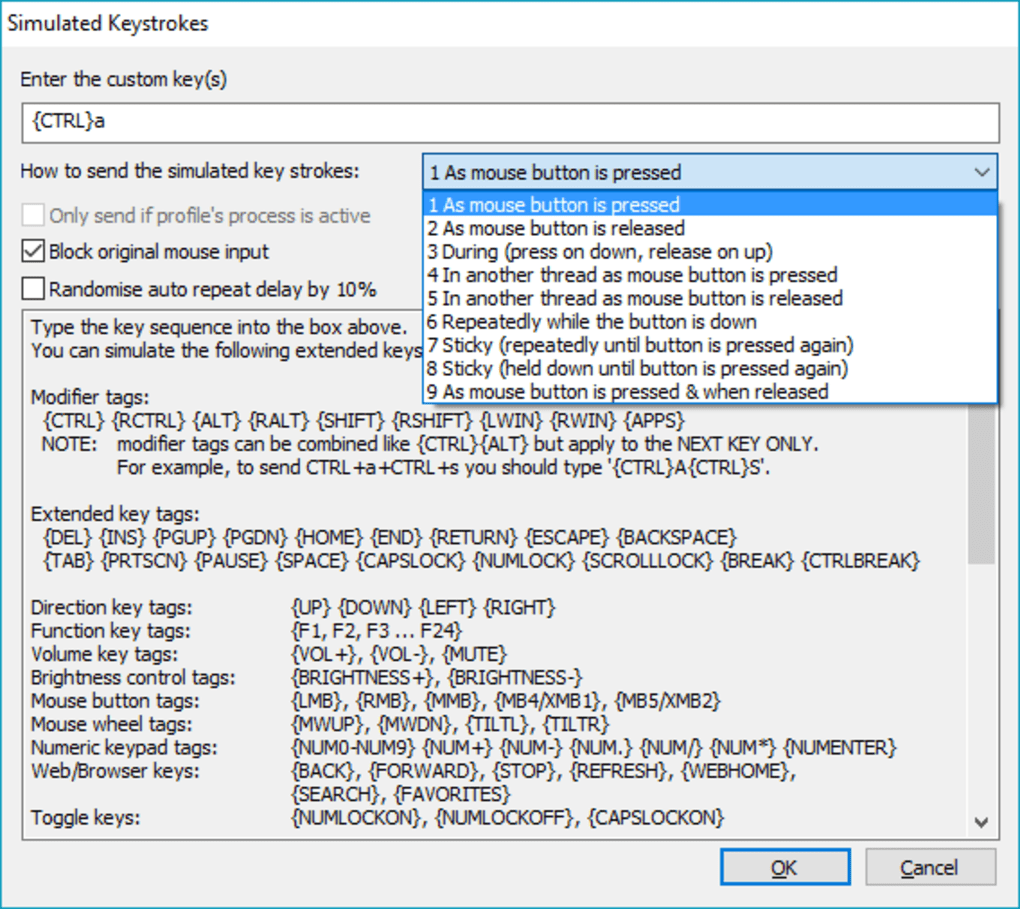
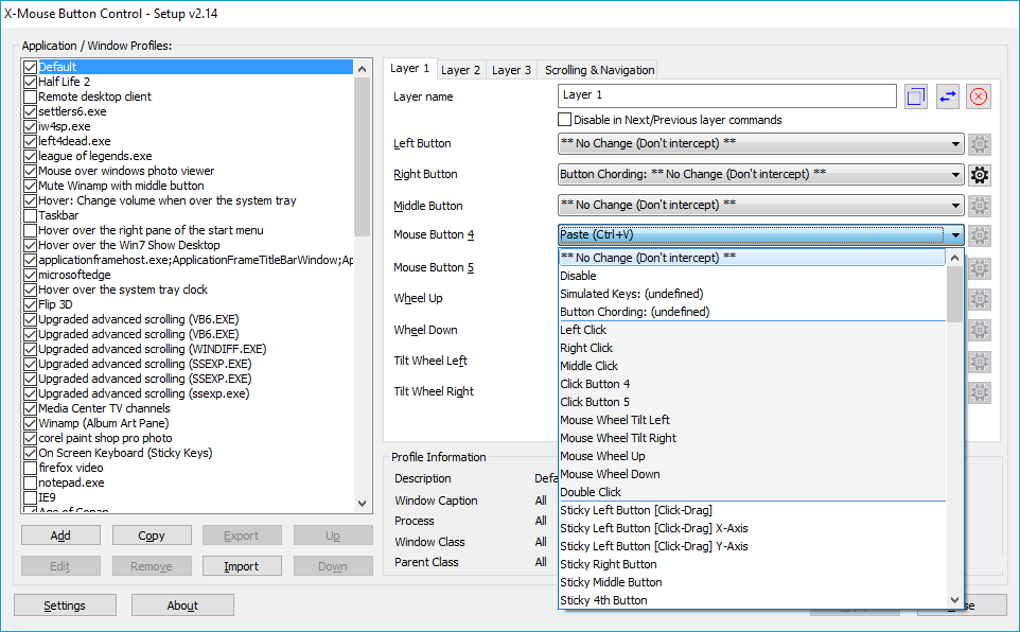
After installation, launch the application. You’ll notice a small icon in your system tray—this is your control center. Right-click the icon to open the main configuration window. From here, you can begin assigning functions to your mouse buttons. Click on the button you want to customize (e.g., Side Button 1), then select the desired action from the dropdown menu. You can choose from a wide range of options, including keyboard shortcuts, window management, media controls, and even custom scripts.
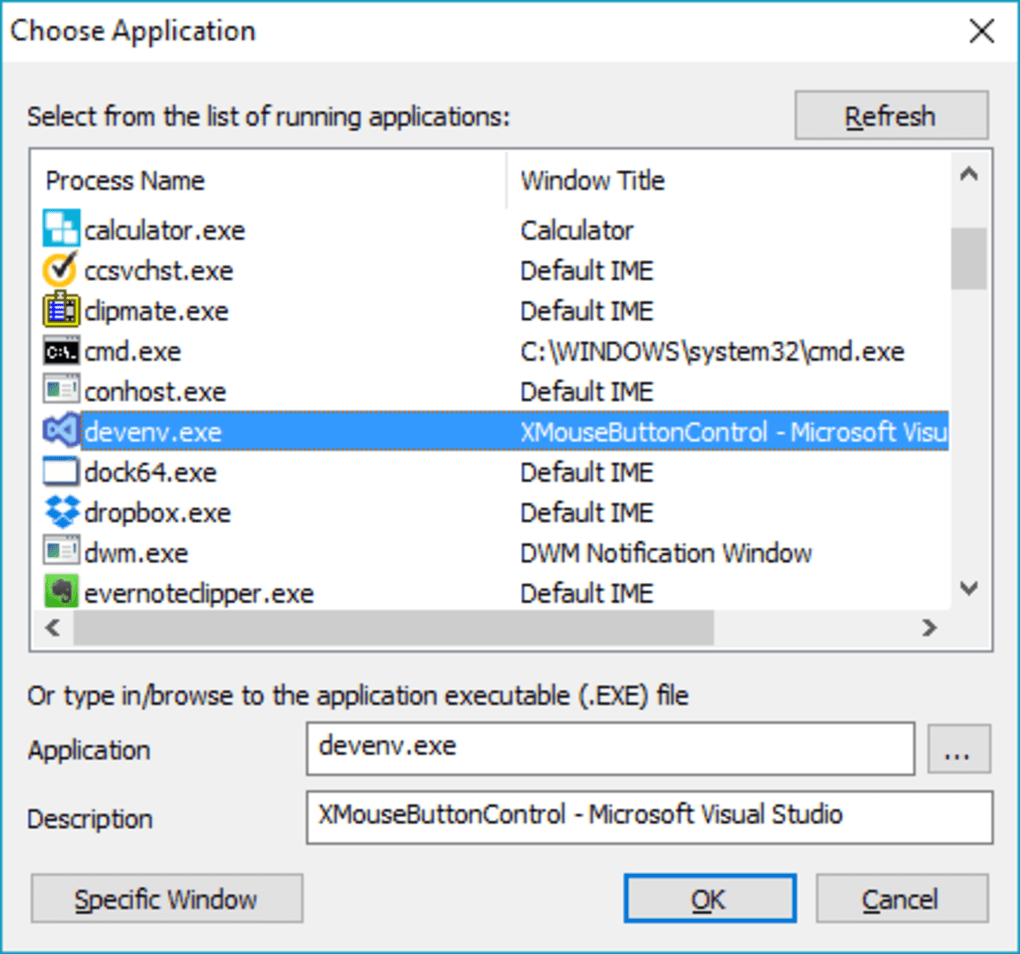
For advanced users, the Profile Manager allows you to save different setups for various use cases—like work, gaming, or media editing. You can switch between profiles with a single click. The Rule Editor lets you define conditions based on the active window title, application name, or even specific window coordinates. For example, you can set a rule that triggers a “Minimize All” command only when the cursor is over a specific window in your design software.
Once configured, the software runs silently in the background. You can verify your settings by testing each button in different applications. If something doesn’t behave as expected, simply return to the settings and adjust the rules. The interface is intuitive, and most users get comfortable within 15–30 minutes of use. Regular updates ensure compatibility with new Windows versions, macOS updates, and evolving software ecosystems.
Compatibility & System Requirements
X-Mouse Button Control Portable is designed for maximum compatibility across modern operating systems. It officially supports Windows 7 and later, including Windows 10, Windows 11, and Windows Server editions. While the software is primarily built for Windows, users on Mac can run it via compatibility layers like Wine or through virtual machines. For mobile users, the tool can be accessed remotely via Android and iOS apps that connect to a PC running the software, enabling remote control of mouse functions through a smartphone or tablet.
On Windows, the software requires minimal system resources—just a few MB of RAM and a standard mouse with at least two side buttons. It works with wired and wireless mice, including gaming models from Logitech, Razer, and Corsair. The portable version can be run directly from a USB drive, making it perfect for use on multiple computers without installation.
For users on Mac, while native support is limited, third-party tools like Mouseposé or Karabiner-Elements can provide similar functionality. However, X-Mouse Button Control remains the gold standard for Windows users. Android and iOS users can pair their devices with the software using remote desktop apps like TeamViewer or Chrome Remote Desktop, allowing them to use their phone as a secondary mouse controller.
Security is a top priority. The software is open-source and regularly audited by the community. It does not collect user data, and all updates are signed and verified. This ensures a secure, transparent, and reliable experience. Whether you're using it for work, gaming, or personal projects, X-Mouse Button Control Portable delivers consistent performance across platforms.
Pros & Cons of X-Mouse Button Control Portable
- Pros:
- Completely free with no ads or hidden costs
- Advanced context-aware button mapping
- Supports per-window and per-application customization
- Lightweight, portable, and easy to use
- Regular updates and strong community support
- Perfect for power users, gamers, and professionals
- Cons:
- Interface can feel overwhelming for beginners
- Limited native support for Mac and mobile platforms
- No built-in tutorial or guided setup wizard
- Some advanced features require technical understanding
- Occasional compatibility issues with certain gaming software
Frequently Asked Questions (FAQ)
- Is X-Mouse Button Control Portable free to download?
-
Yes, X-Mouse Button Control Portable is completely free to download and use. There are no trials, no subscriptions, and no hidden fees. The software is open-source and maintained by a dedicated community of developers.
- Can I use it with my gaming mouse?
-
Absolutely. X-Mouse Button Control works with most gaming mice, including models from Logitech, Razer, Corsair, and others. It overrides default mouse behaviors and allows you to assign custom actions to side buttons and scroll wheel functions.
- Does it support Mac and mobile devices?
-
While the software is primarily designed for Windows, Mac users can run it via Wine or virtual machines. Mobile users can access it remotely through apps like TeamViewer or Chrome Remote Desktop, enabling control from Android and iOS devices.
- How do I update X-Mouse Button Control?
-
The software includes an automatic update checker. When a new version is available, you’ll receive a notification. You can also manually check for updates in the settings menu. All updates are signed and verified for security.
- Can I create custom macros with this tool?
-
Yes, X-Mouse Button Control supports macro recording and playback. You can record a sequence of keystrokes, mouse movements, and delays, then assign it to a single mouse button for instant execution.
Conclusion: Why You Should Download X-Mouse Button Control Portable Today
If you're looking to boost productivity, reduce repetitive strain, and gain full control over your mouse, X-Mouse Button Control Portable is an essential tool. Its ability to customize mouse behavior based on the active window or application makes it ideal for multitaskers, designers, developers, and gamers. While the learning curve may be steep for beginners, the long-term benefits far outweigh the initial setup time. With no cost, no ads, and regular updates, it’s one of the most secure and reliable mouse utilities available.
Whether you're managing multiple browser tabs, editing high-resolution images, or navigating complex software, this software adapts to your workflow. The portable version ensures you can take your customized setup anywhere—on a USB drive, a work laptop, or a shared computer.
Ready to transform your mouse into a productivity powerhouse? Download X-Mouse Button Control Portable today and take back control of your workflow.
Guides & Tutorials
How to install Mouse Button Control Portable
- Click the Download button above.
- Once redirected, accept the terms and click Install.
- Wait for the Mouse Button Control Portable download to finish on your device.
How to use Mouse Button Control Portable
This software is primarily used for its core features described above. Open the app after installation to explore its capabilities.
User Reviews
No reviews yet. Be the first to share your experience.
You may also like
more
Llama 2
Free-to-use large language model As the new addition to Meta’s arsenal of langua...

NotebookLM
Revolutionizing the note-taking and idea-generation process NotebookLM is an exp...

Github co pilot
AI-inspired software development and coding platform GitHub Copilot is a browser...

Google Gemma
Google’s lightweight AI models Introducing Google Gemma , a family of cutting-ed...

AI Image Enlarger
A free app for Windows, by ai-image-larger. AI Image Enlarger is a free software...

DALL E
AI-driven text-to-image transformation engine DALL·E is a free graphic and desig...